Adding the missing features in Joomla
Items filtered by date: October 2026
Saturday, 29 October 2011 10:33
Allowing users to submit content
Scenario
You want to allow any new registration to be given the ability to create and edit content but only in a specific category or categories.
Process
Only within the selected categories will the registered users have the extra permissions set in that user group.
Test It Create a "test" user from within the admin panel and move them to that user group.
TIP: By using a test user, you then can run these types of tests, or create system content and it will then NOT affect your main admin user account.
Consider this, you create test content or system content using your admin account and those items will appear in your latest items and blog which you may not want to have displayed.
Login to the front end of your site, and click the "add item" from the K2 login module.
In the modal window, check the categories drop down and you will see that you can only select those that were set in the User group.
Already got registered members? If you already have a lot of registered k2 users, then you can move them.
Go to the K2 User screen.
Filter the list to display just Registered, using the drop downs at the top right of the screen.
Click the select all check box, top of all the check boxes on the left side.
Click on the Move icon.
In the next window, select which category you wish to move them to and then click Save.
Thats it job complete
Process
- Create a K2 category such as "User Blog"
- Create a K2 User Group such as RegUsers (or whatever you want to call it)
- Set permissions as follows:
Post comments: Yes
Front-end item editing: Yes
Add items: Yes
Edit own items: Yes
Edit any item: I would suggest no
Publish items: Your choice, but consider that you may want to check content before publishing - Under Assign group permissions to these categories select the User Blog category only.
If your going to create sub categories in User Blog, then enable Automatically assign group permissions to the children of selected categories.
Only within the selected categories will the registered users have the extra permissions set in that user group.
Test It Create a "test" user from within the admin panel and move them to that user group.
TIP: By using a test user, you then can run these types of tests, or create system content and it will then NOT affect your main admin user account.
Consider this, you create test content or system content using your admin account and those items will appear in your latest items and blog which you may not want to have displayed.
Login to the front end of your site, and click the "add item" from the K2 login module.
In the modal window, check the categories drop down and you will see that you can only select those that were set in the User group.
Already got registered members? If you already have a lot of registered k2 users, then you can move them.
Go to the K2 User screen.
Filter the list to display just Registered, using the drop downs at the top right of the screen.
Click the select all check box, top of all the check boxes on the left side.
Click on the Move icon.
In the next window, select which category you wish to move them to and then click Save.
Thats it job complete
Published in
Tips & Tricks
Saturday, 29 October 2011 08:59
YJ Module Engine

Today we are excited to bring you something new. Most likely something you have never expected. Everyone has heard of Joomla Template Frameworks but Joomla Module framework is something that most of Joomla developers should have. This is first in series of our YJ Module Engines and it is dedicated to Joomla and K2 News Items. Upcoming versions might feature other 3rd party Joomla extensions like Virtuemart , RedShop, SOBI or any most used Joomla extension.
Published in
Extensions
Saturday, 29 October 2011 07:35
MijoACL extension for K2

This extension for MijoACL component provides the ability to set permisions and control access for K2 component.
MijoACL is a flexible and powerful Joomla Access Control component with an easy-to-use user interface that provides the ability to set all front-end and back-end permisions from one page and to assign any user to multiple groups.
MijoACL is an advanced Joomla ACL manager that offers you to set User Based Permissions, create unlimited groups and manage all rules for your Joomla site so it makes it easier to work with the Joomla ACL system.
MijoACL is a flexible and powerful Joomla Access Control component with an easy-to-use user interface that provides the ability to set all front-end and back-end permisions from one page and to assign any user to multiple groups.
MijoACL is an advanced Joomla ACL manager that offers you to set User Based Permissions, create unlimited groups and manage all rules for your Joomla site so it makes it easier to work with the Joomla ACL system.
Published in
Extensions
Thursday, 27 October 2011 19:19
K2 v2.5.1 (maintenance release) now available
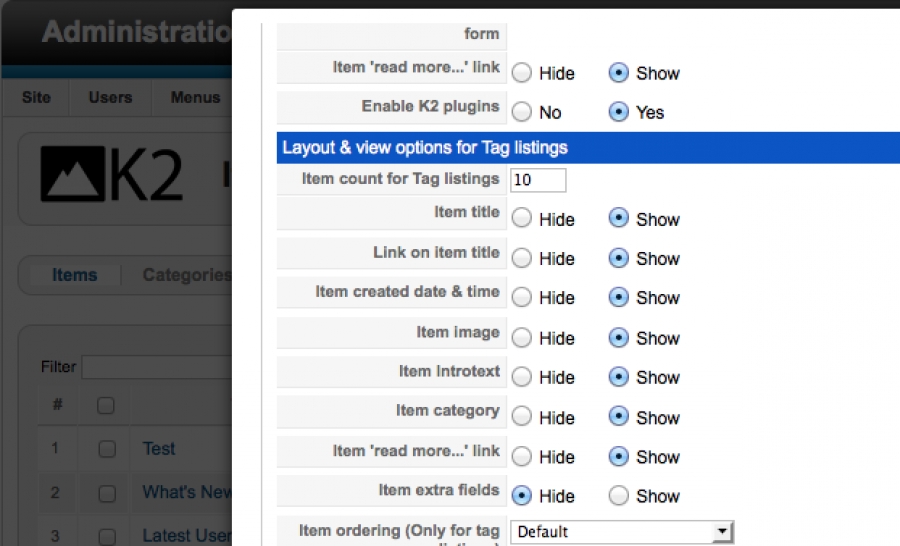
We have just released v2.5.1 of K2, a maintenance release, fixing some minor issues as reported by the K2 Community.
This release maybe "maintenance", but we have gone through some "bigger" changes regarding content setup workflow and frontend editing.
In v2.5.1 we have improved the "friendliness" of frontend editing. E.g. when you edit an item via the frontend and close the editing window, the page will refresh, revealing the applied (or not) changes. Frontend users who don't have "publishing" rights will see a notice displaying at the top of the editing window and they will not see the published/featured controls. Additionally, only users with "editorial" rights (but not necessarily publishing rights), aka users with the permission "can edit any item" in their K2 group, are the ones who can now see and change an item's author. Previously anyone with some editing rights could do that. So all in all, frontend editing is a bit more tied up and informative to your frontend users.
This release maybe "maintenance", but we have gone through some "bigger" changes regarding content setup workflow and frontend editing.
In v2.5.1 we have improved the "friendliness" of frontend editing. E.g. when you edit an item via the frontend and close the editing window, the page will refresh, revealing the applied (or not) changes. Frontend users who don't have "publishing" rights will see a notice displaying at the top of the editing window and they will not see the published/featured controls. Additionally, only users with "editorial" rights (but not necessarily publishing rights), aka users with the permission "can edit any item" in their K2 group, are the ones who can now see and change an item's author. Previously anyone with some editing rights could do that. So all in all, frontend editing is a bit more tied up and informative to your frontend users.
Published in
Blog
Thursday, 27 October 2011 15:32
Lof K2 Scroller Module
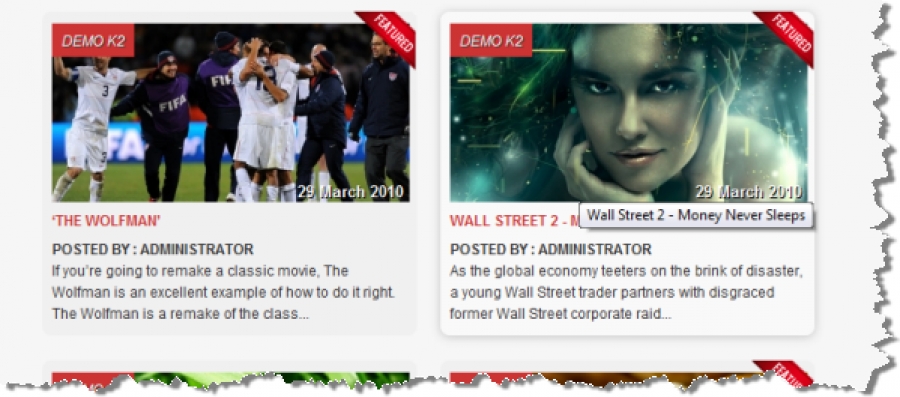
The K2 Lof Scroller Module is a integration module working with the k2 component, allows displaying the list of k2 items in a grid and pages . The module has three 3 main functions: Showcase, Recent viewed and Same In Category and combine the smooth scrolling effect, Opacity Hovering Effect of the mootools plugin, it's easy to select a proper function, take a look and feel very impressive for your site.
UserGuide : Click Here
Demo Joomla 1.7 with content and k2 component ,
UserGuide : Click Here
Demo Joomla 1.7 with content and k2 component ,
Published in
Extensions
Thursday, 27 October 2011 15:23
DM Related Articles for K2
DM Related Articles for K2 allows you to list K2 "related articles" in a module, which will display related items (by tag or by author) when the user is reading an article. In addition, the module can show a link at the bottom, the articles' creation date, and it can use different layouts according to your needs.
With DM Related Articles for K2 you can choose between different layouts, getting the possibility to use the one that lets you get the most from your template's design. You can show articles' titles in a list, have them displayed as paragraphs or totally customize (with CSS) the layout. You can decide to show the articles' date and format it exactly as you need, setting its font style, its position, its format and so on.
Features:
With DM Related Articles for K2 you can choose between different layouts, getting the possibility to use the one that lets you get the most from your template's design. You can show articles' titles in a list, have them displayed as paragraphs or totally customize (with CSS) the layout. You can decide to show the articles' date and format it exactly as you need, setting its font style, its position, its format and so on.
Features:
- List articles related by tags, same author or category;
- Filter related articles displaying only tags/author-related items in the same category;
- Customize module's layout with one click, choosing between a classical layout and a list layout;
- Link a CSS class to the list layout, customizing the module's appearance and to adapt it to the chosen Joomla template;
- Customize the appearance of the articles' creation date, choosing the graphical style, its position, and its format.
Published in
Extensions
Wednesday, 26 October 2011 15:49
Gogodigital K2 Missing Metadata

With this simple module you can see if you forgot to include in any article of K2 component metadata information: description and keywords. This information is essential for placement on search engines and are therefore crucial to any site.
Published in
Extensions
Wednesday, 26 October 2011 14:08
DM Article List Pro for K2
DM Article List Pro fro K2 allows you to list K2 article titles in a Joomla module; you can choose to list titles belonging to a category or containing a particular keyword; in addition, the module can show a link in the bottom part, the articles' creation date, and it can use different layouts according to your needs.
With DM Article List Pro for K2 you can choose between different layouts, getting the possibility to use the one that lets you get the most from your template's design. You can show articles' titles in a list, have them displayed as paragraphs or totally customize (with CSS) the layout. You can decide to show the articles' date and to format it exactly as you need, setting its font style, its position, its' format and so on. In addition, you can choose to display a bottom link, allowing you to provide a customized "read more link" to your module.
With DM Article List Pro for K2 you can choose between different layouts, getting the possibility to use the one that lets you get the most from your template's design. You can show articles' titles in a list, have them displayed as paragraphs or totally customize (with CSS) the layout. You can decide to show the articles' date and to format it exactly as you need, setting its font style, its position, its' format and so on. In addition, you can choose to display a bottom link, allowing you to provide a customized "read more link" to your module.
Published in
Extensions
Wednesday, 26 October 2011 04:26
Lof K2 Hot Deal Extensions

The Lof K2 Hot Deals Extension is a collection of modules, plugins which are used as brigde between Great CCK K2 and Virtuemart Shopping Cart, to show offers products and services at significantly reduced prices on the condition that expected time and a maximum number of buyers would make the purchase.
Published in
Extensions
Categories
Recently Updated
- 17 Sep 2026 RAXO Related K2 Items
- 17 Sep 2026 RAXO All-mode K2
- 02 Nov 2021 RAXO Insert Position
- 12 Oct 2021 4SEO all-in-one SEO extension
- 26 Mar 2021 Econa
Advertisement