The process to update K2 is fairly simple. If you are on Joomla 1.5, grab the zip file from the link above and install it on top of your existing K2 version. If you are on Joomla 2.5 or 3.x, go to the Joomla update manager, purge the update cache, re-check and you'll see the new release available to instantly update. If you are still on Joomla 1.6 or 1.7, pretend you don't know us - or do yourself a favour and upgrade to Joomla 2.5 and then to Joomla 3.x.
So what's been added, changed or updated in this new release in more detail?
Here's a list of the important things added, changed or updated in K2 v2.7.0.BACKEND
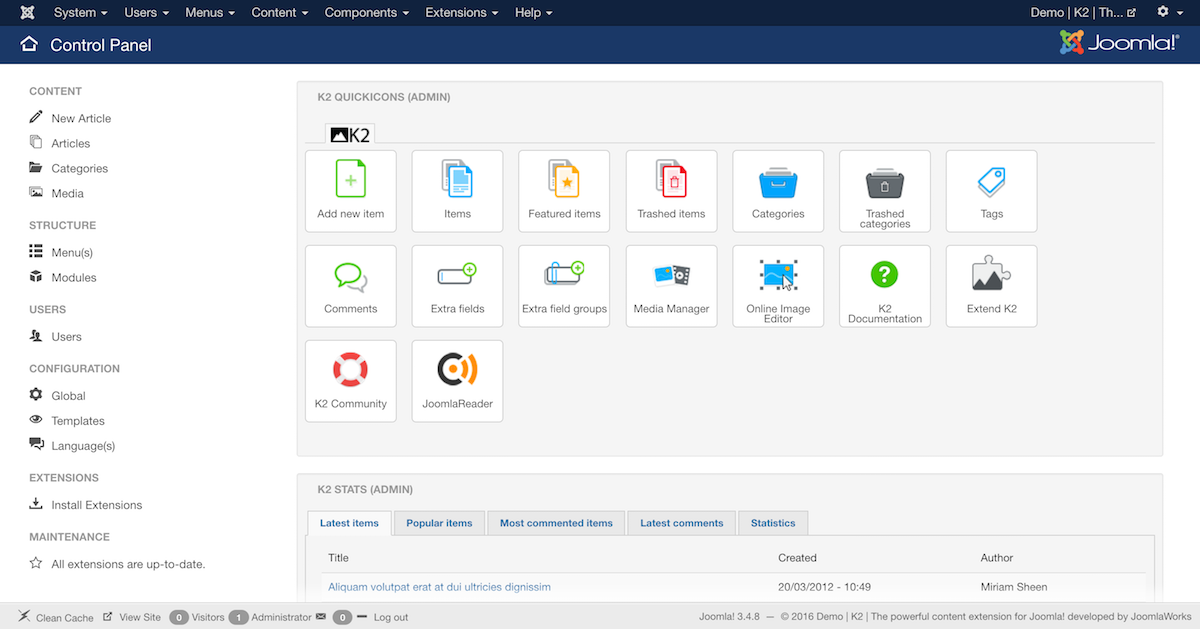
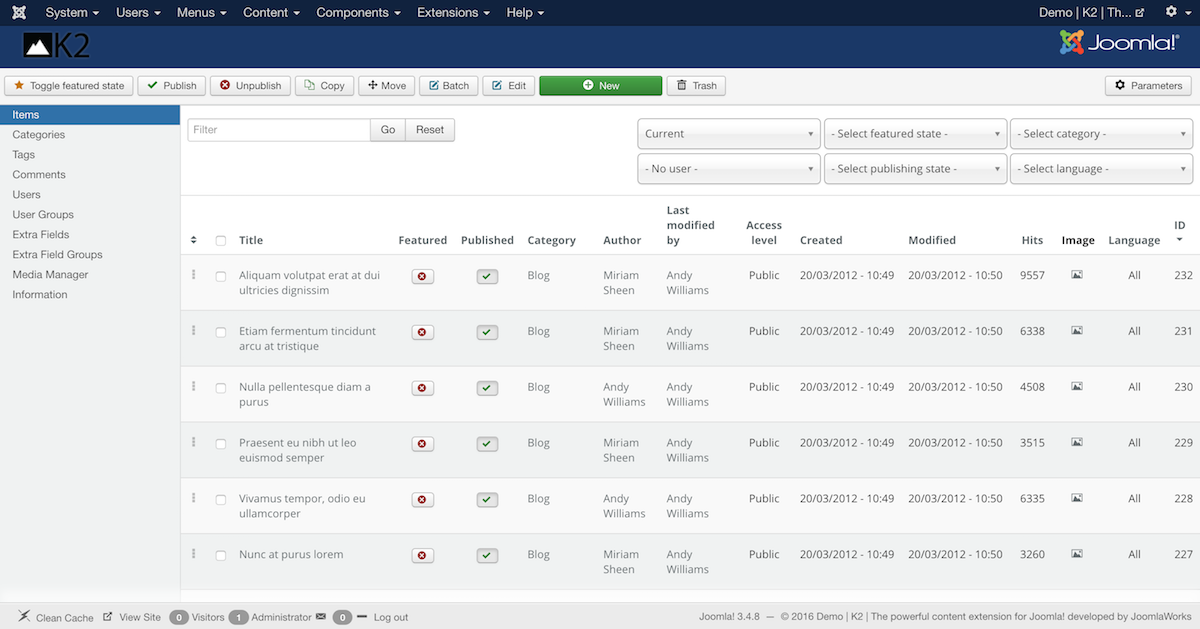
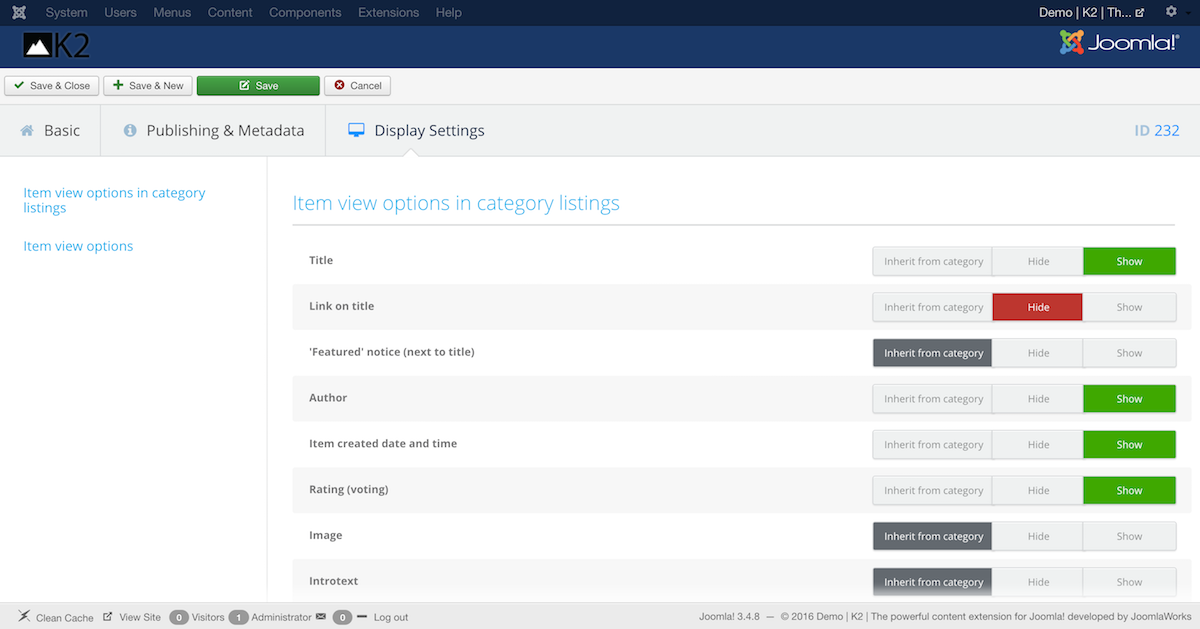
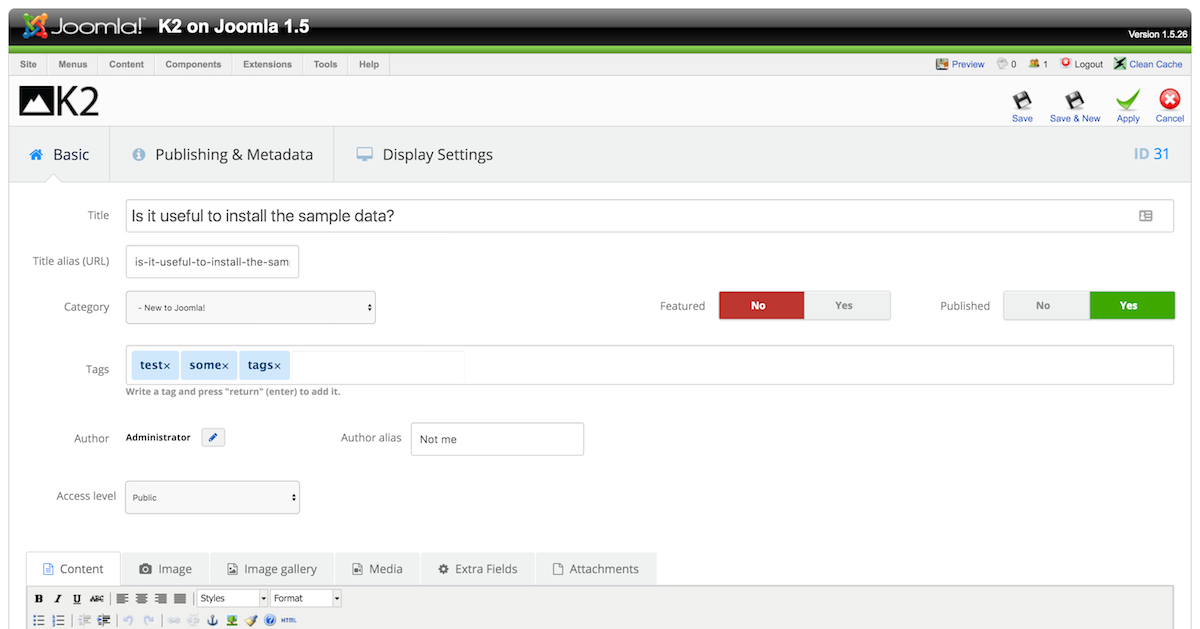
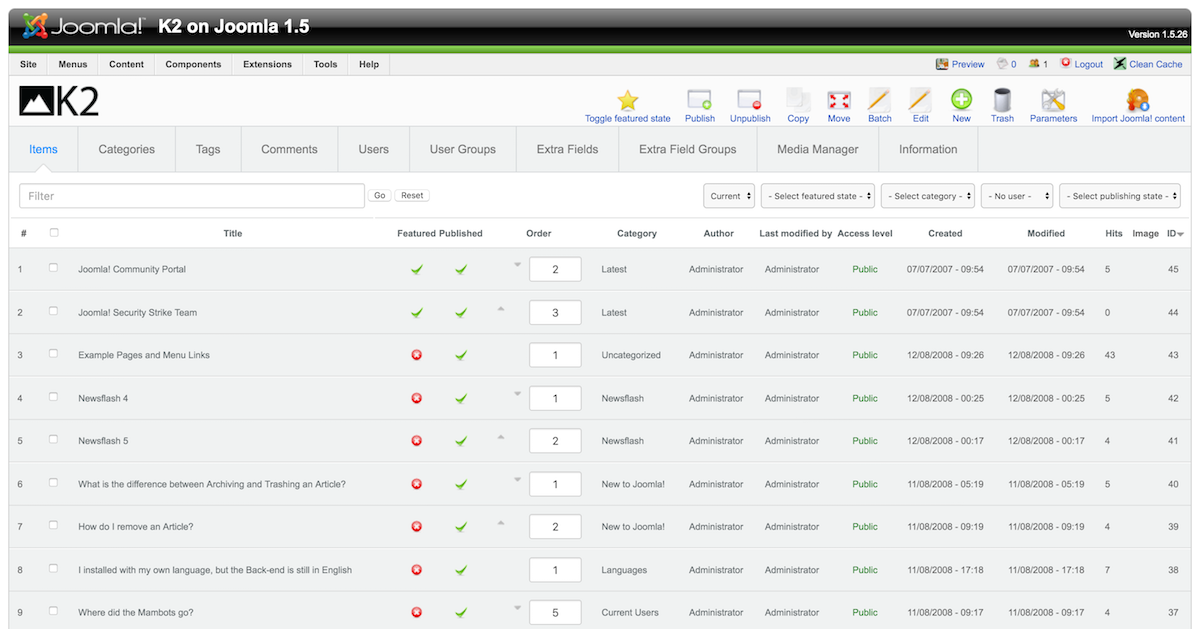
- Newly redesigned responsive backend user interface.
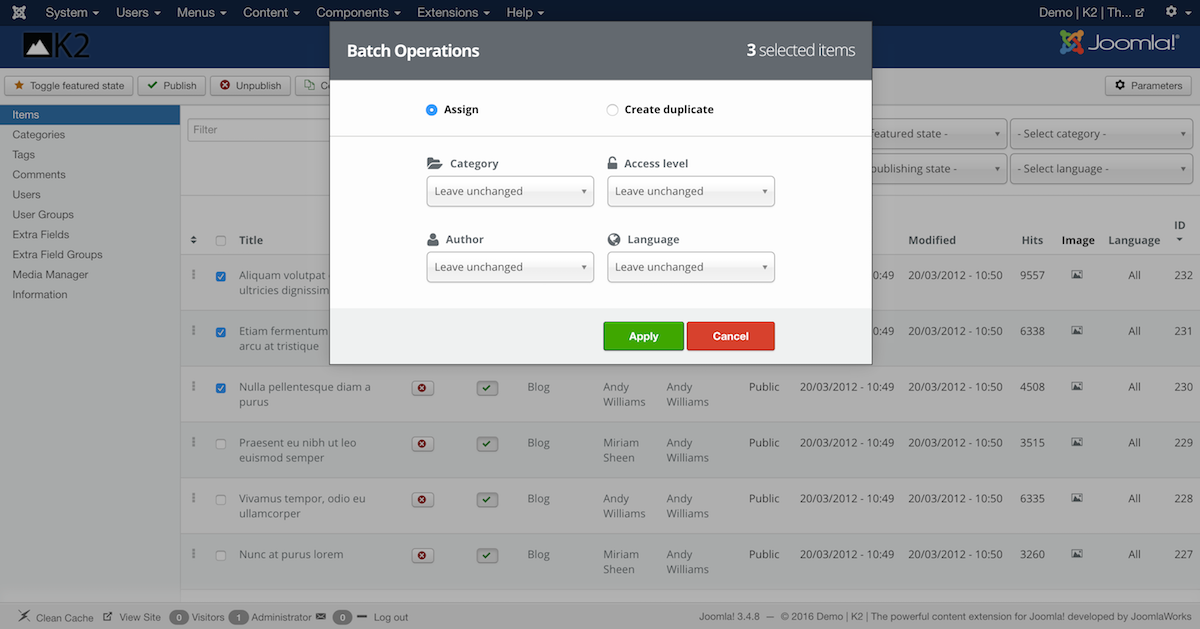
- Added new batch operations modal for better & faster item re-organization. You copy or move items to a new category, assign to a new user, change permissions levels or even assign to a different language.
- Import articles process: Joomla article tags are now converted to K2 tags.
- Newly added options to override image gallery thumbnail dimensions, directly from item or category settings.
- Fixed media manager issues under Joomla 3.x
- Media manager now only uploads certain file types for stronger security.
- Added anonymous basic system statistics gathering. The data transmitted back to getk2.org over HTTPS is entirely anonymous and it represents usage statistics for software versions like K2 (obviously), Joomla, database and web server. A hash is used to separate clients and the data is transmitted once a month only. The process is done asynchonously so it will never slow down the admin, even for that split second when data is transmitted once a month. If you wish to disable this feature, you can do so in K2's Settings, under the "Advanced" tab. But we hope you won't as it will significantly help us make the right decisions for future K2 releases. All the metrics gathered are public https://metrics.getk2.org/ and the codebase used for the entire process will be open sourced within a couple of months.
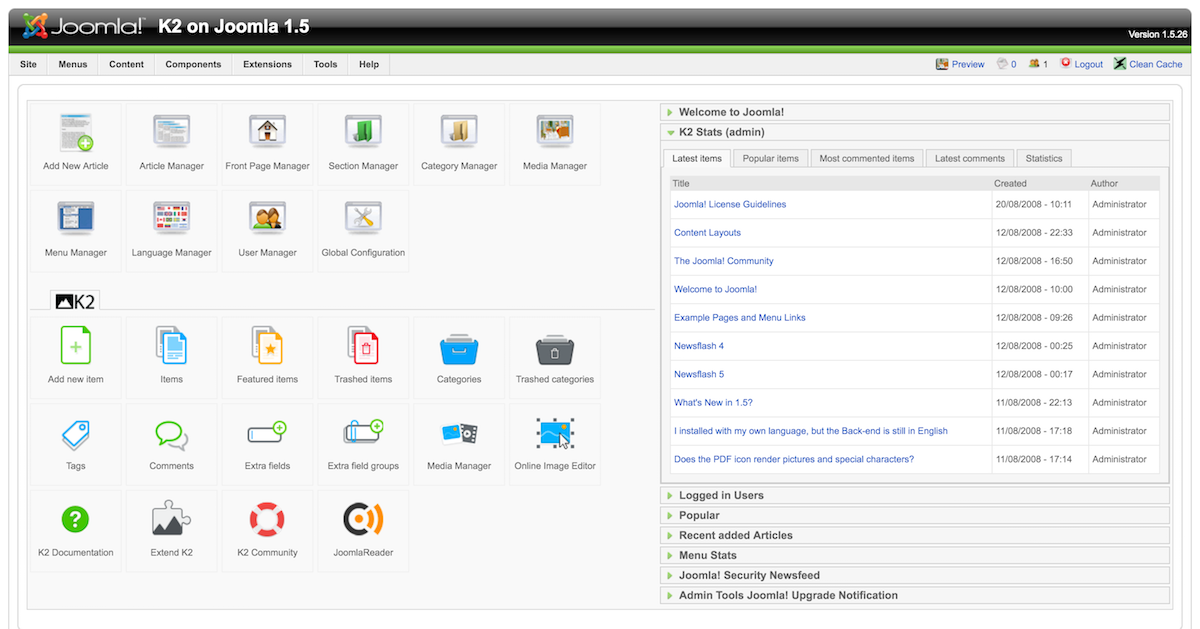
- New dashboard icons
- Fixed smart search indexing issue when it was invoked from CLI.
FRONTEND
- Updated frontend HTML template overrides to be responsive-friendly as well. Exceptions may occur but they are easily managed.
- CSS codebase has been simplified and is now able to inherit the template's styling for common HTML elements. So overriding K2's CSS will now be an even simpler process.
- Frontend editing and any modals used are now also responsive.
- There is no requirement for Mootools anymore.
- New web font icons have replaced PNG icons.
- Performance (SQL) optimizations for the calendar functionality of the K2 Tools module.
- New content filter options for the K2 Content module, makes it even more versatile when it comes to content display. It is now possible to retrieve (filter) items based on users or tags (besides categories).
- Added Google reCAPTCHA version 2 integration for even better anti-spam protection
- Improved spam protection: All auto-generated K2 user pages (blogs) with no items in them are now being redirected to your site's home page to prevent spammers from abusing these pages. Spammers would previously create a new account and simply update their K2 user profile with spam content. They would then point to their user page in forums or elsewhere.
- It is now mandatory to set an anti-spam mechanism for comment writing. If you don't, K2 will kindly remind you to and block any comment submissions :)
- Added option to toggle Open Graph meta tags (in case you wish to use a 3rd party extension for that).
- Updated social buttons code for all three providers (Twitter, Facebook & Google+).
- Removed Community Builder, Josetta and AceACL integration.
- sh404SEF integration has been decoupled from K2 core and it is now released as a separate commercial plugin with new features: K2 Plugin for sh404SEF. This was very important for the integration of K2 with sh404SEF for a number of reasons: a) faster updates, inline with sh404SEF releases, b) new features can be easily added in without the need to update K2 entirely and c) K2 v2 and K2 v3 (upcoming) compatibility in a single package.
GENERAL
- Joomla 3.5 compatible.
- Improvements for Joomla 3.4.
- PHP 7 compatible.
- Still 100% compatible with Joomla 1.5 and 2.5.
- Many, many other bug fixes and improvements under the hood.
SCREENSHOTS


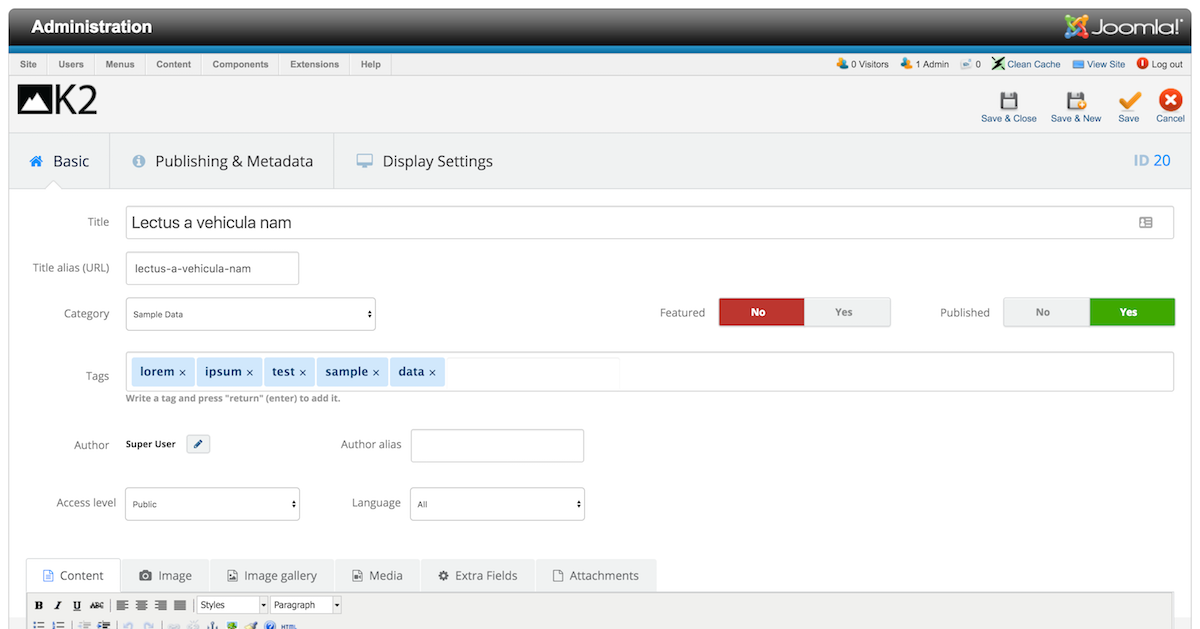

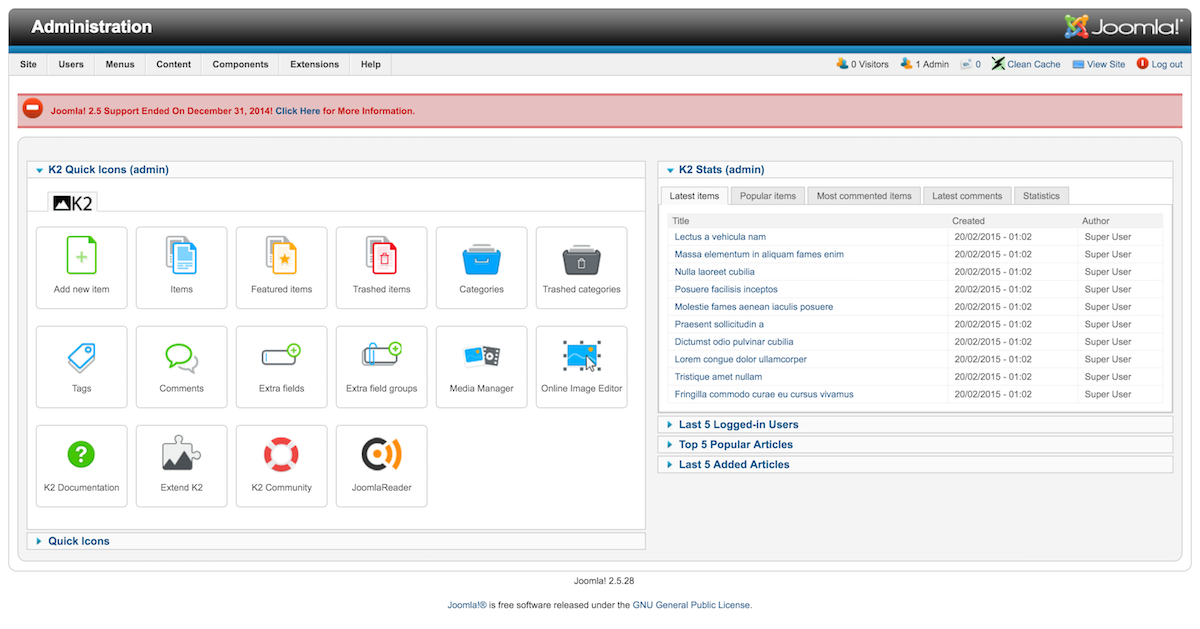
Upgrading
Although we have made changes to the CSS in K2, as well as some extremely minor changes to the HTML code in K2's template overrides, it is (as always) safe to upgrade to K2 v2.7.0.If you already have your own K2 CSS and/or HTML template overrides then there's nothing to worry about. If you use "stock" K2 CSS and HTML template overrides, just browse your site after the upgrade to make sure nothing's misalligned. In any case, exceptions may occur but they are usually easy to resolve. If you need any help, just post about your issue in the K2 Community Forum.
Before upgrading, it's always a good idea to get a backup of your site (just in case):
- To upgrade in Joomla 1.5, just install v2.7.0 on top of any existing K2 installation.
- To upgrade in Joomla 2.5 or 3.x, either install on top (as with Joomla 1.5) or use Joomla's extension updater (you should already see the notification for v2.7.0).
CSS & HTML Template Overrides
Because there have been some changes in K2's CSS and HTML template overrides, we will update this blog post again within the day with template packages for K2 v2.6.9 and K2 v2.7.0 for comparison reference. You can then use a program like WinMerge or FileMerge to see the differences between the 2 versions (in CSS and HTML) and adapt your site accordingly. So check back tomorrow for the comparison packages.And one more thing...
I personally acknowledge that I have commited to the release of K2 version 3 numerous times in late 2014 and in 2015. Being the K2 project's lead and also a perfectionist when it comes to all things K2, it has been entirely my fault for not having released version 3 a full year ago, as the project is literally 95% ready.This essentially boils down to my own personal limited time. Being a new dad (since Nov 2013) with 2 petite demons in the house has been a very awarding and unique experience. At the same time, it has been challenging to work at normal hours or even work at all sometimes. But luckily this changes as the demons grow (the child demons, not the inner ones - these stay young forever!).
At the same time, the K2 team is very fortunate to have a new member join in: Paul Van Haren (from the Netherlands), who manages chip development projects for in-car networks at a big semiconductors company by day, has taken down the list of open issues in the K2 v3 repo by a third already and is actively engaged in improving features for K2 v3.0 as well as creating new ones for v3.1 (which will introduce a slew of new features). Together with Lefteris Kavadas (backend guru) and Krikor Boghossian (frontend guru), K2 v3 development has re-ignited and is on a steady track for a realistic release date by late April 2016, especially now that K2 v2.7.0 is also released (a requirement to upgrade to K2 v3.0.0).
Yes, you read correctly. Within a month's time, we'll make every effort to finalize all remaining issues and release K2 v3 :)
Of course, we're always open to new contributors/volunteers who can help develop or test K2 v3. If you're interested, why not send us a message?
Did I mention K2 is on track to surpass 3 million downloads the coming months? Hell yeah!
--
P.S. I'd like to personally thank Joe Campbell who has been an amazing community advocate for K2 for the last year or so. He has probably tweeted more about K2 that I ever had and his constantly positive attitude towards the Joomla community in general has truly set an example of how anyone should behave and communicate in any open source ecosystem. Thank you Joe!
